
.svg)
Briefly
A complete product design for an AI workspace that turns scattered inputs into structured briefs.
.webp)
.webp)

How Briefly turns scattered inputs into briefs
The Challenge
Teams wrote every brief from scratch in docs, chat threads, and notes apps.
No two briefs were structured the same way, so nothing was comparable.
Source material lived in five places and rarely travelled with the brief.
Generic AI output still had to be rewritten to sound like the team.
Reviewers could not tell what had already been decided.
Tone changed with whoever was writing — there was no shared voice.
Finished briefs were hard to find again once the thread moved on.
Credits, plans, and settings had to stay out of the writing flow.
The Solution
The core challenge was making a brief feel finished in minutes without taking the judgement away from the person writing it. We designed one guided flow — choose an input, pick a tone and layout, then refine the draft section by section — wrapped in a searchable library, reusable templates, and AI personas that keep every brief sounding like the team behind it.
50+screens designed
4-stepinput to finished brief
A–Zend-to-end ux & ui
Briefly's design system for clarity and speed
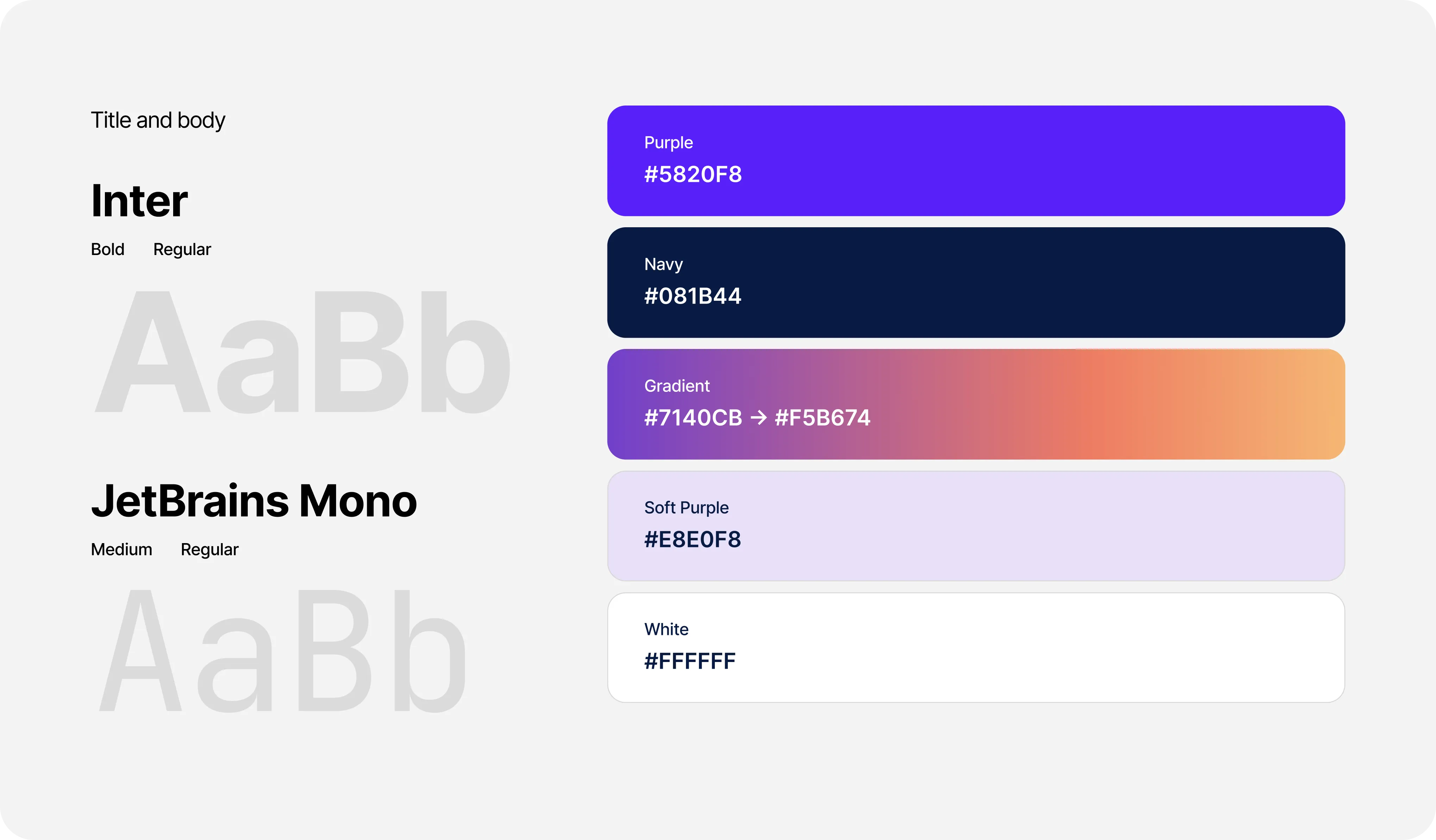
A single Inter type ramp, a restrained navy-and-grey palette with one purple accent, and a warm brand gradient held back for primary actions — plus reusable cards, tables, and modals so every screen was assembled rather than redrawn.
Briefly's overview that opens on the work
The home screen leads with one prompt — what would you like to brief today — then lists recent briefs with their status, source count, and last update, next to the credits left in the cycle. Folders, documents, and templates stay one click away in the sidebar.
.webp)
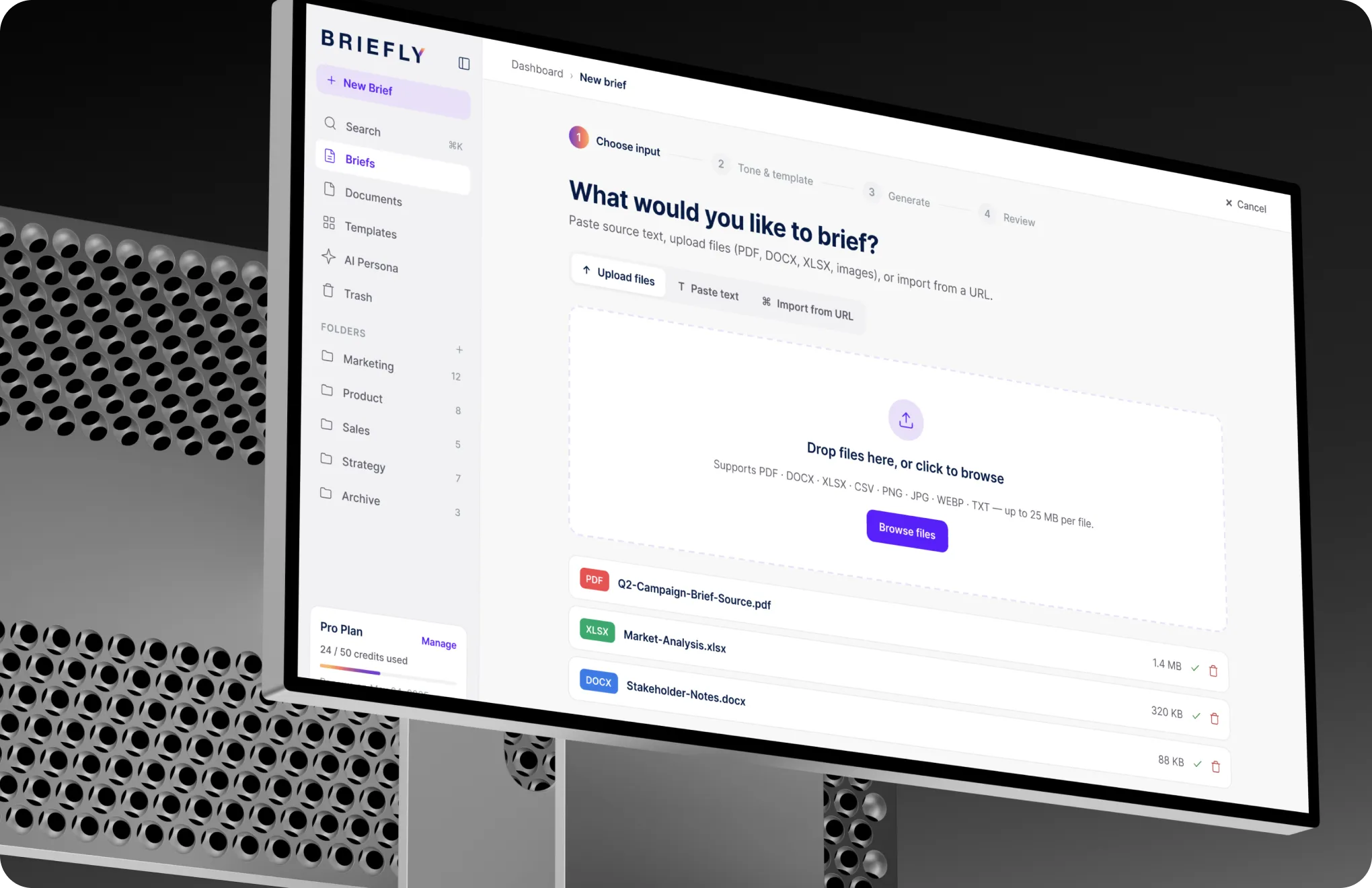
From raw input to a written brief
Upload a document, paste your notes, or import from a URL, then choose a tone and layout. Briefly drafts the brief section by section, showing each part as it lands so the process never feels like a black box.
.webp)
.webp)
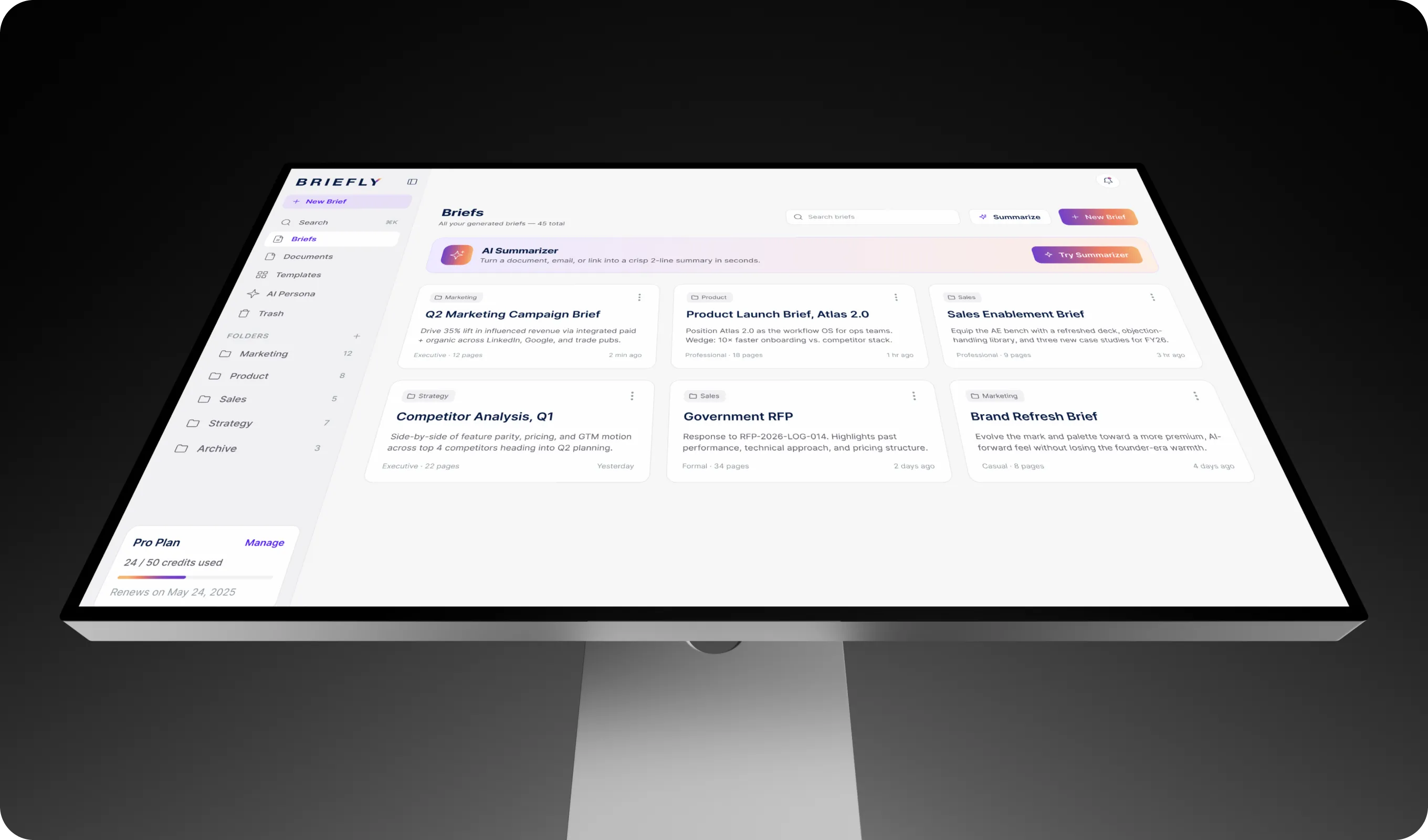
Every brief in one searchable library
Briefs sit in folders with status, owner, and source count visible at a glance, and an AI summary is one click away when someone only needs the short version.
Source files that stay with the brief
Every document a brief was built from stays attached, searchable, and filterable by type, so nobody digs through chat threads to find the original.
.webp)
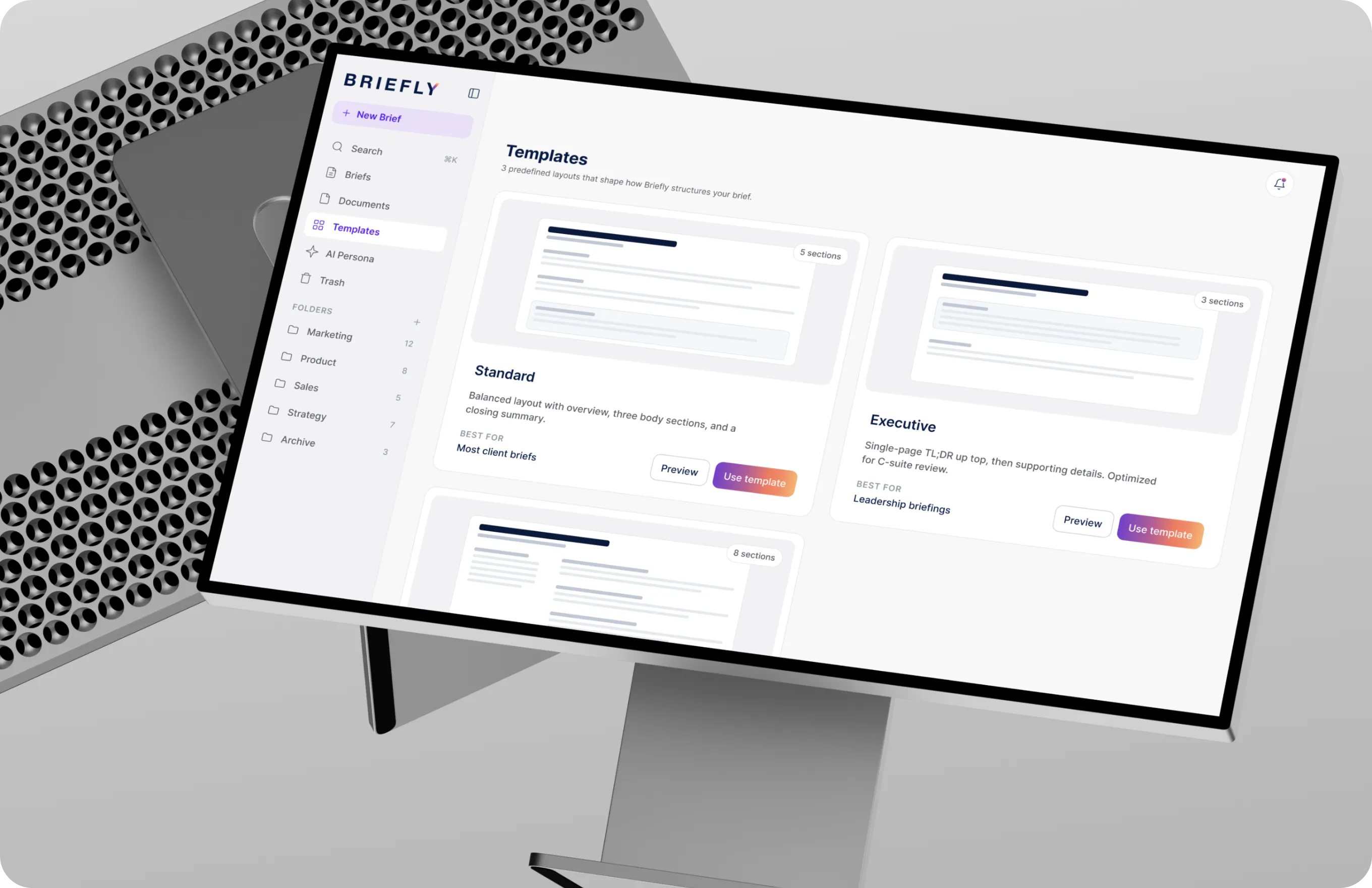
Templates that decide the structure
Three layouts — standard, executive, and detailed — shape how Briefly organises the output, from a five-section client brief to an eight-section RFP with appendices.
Personas that set the voice
Agency creative, corporate professional, or technical RFP: each persona changes how the AI writes, so briefs sound like the team instead of a generic model.
.webp)
Deletes that are safe to make
Deleted briefs and documents wait 30 days in Trash with a live countdown and one-click restore, so tidying up never costs anyone their work.
.webp)
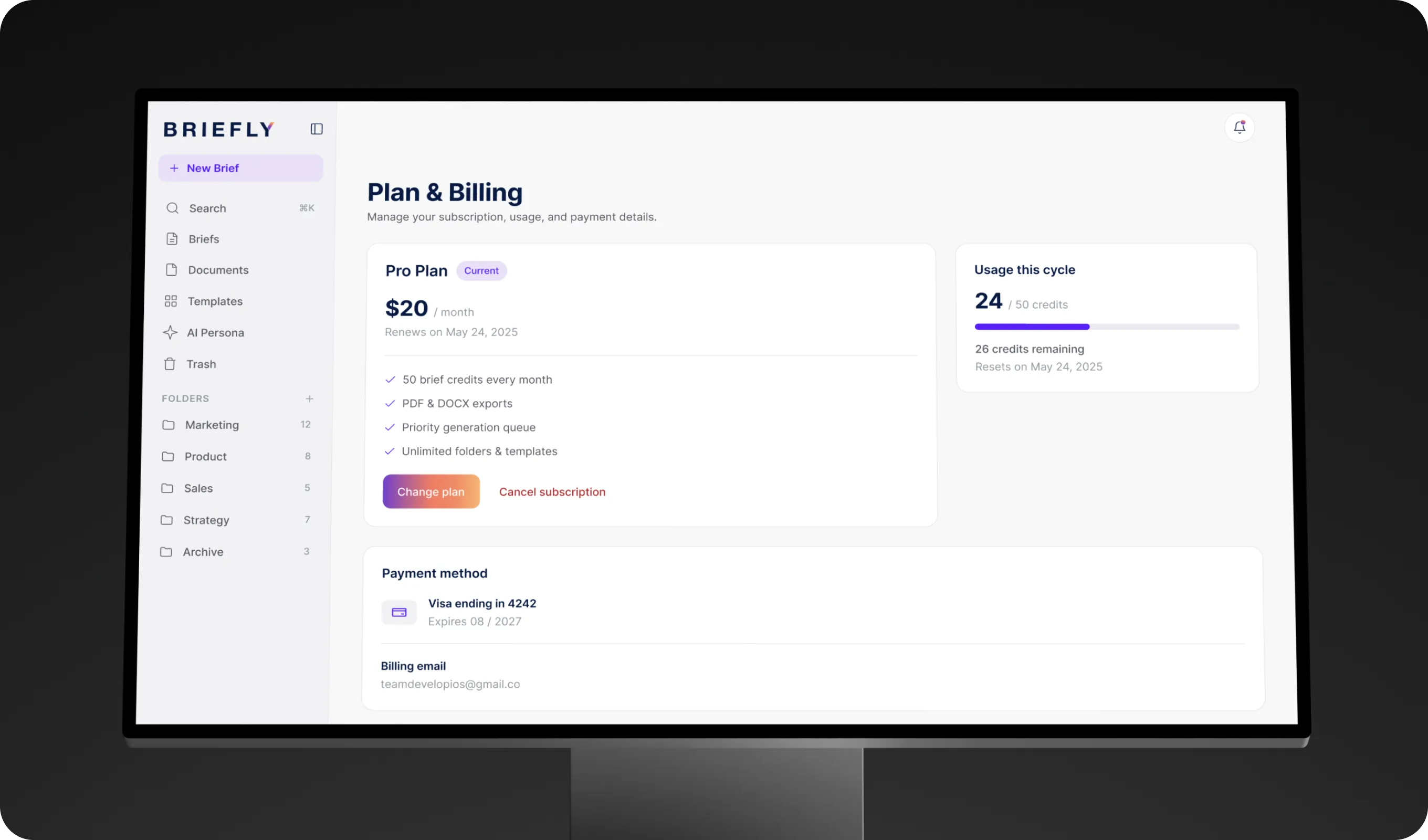
Plans and credits that stay out of the way
Fifty brief credits a month with usage tracked across the cycle, and billing details kept in the same shell as the rest of the product.
.webp)
.webp)
.svg)
.svg)
.svg)
.svg)
.svg)
.webp)
