
.svg)
Learnora
An Operating System for Training Businesses that runs courses, live sessions and certificates for every client member, under the training business’s own brand.


One Platform To Run, Train And Certify Every Member
80+
Screens designed
3 roles
Platform, company, learner
A–Z
End-to-end UX & UI
A design system that keeps the next step obvious
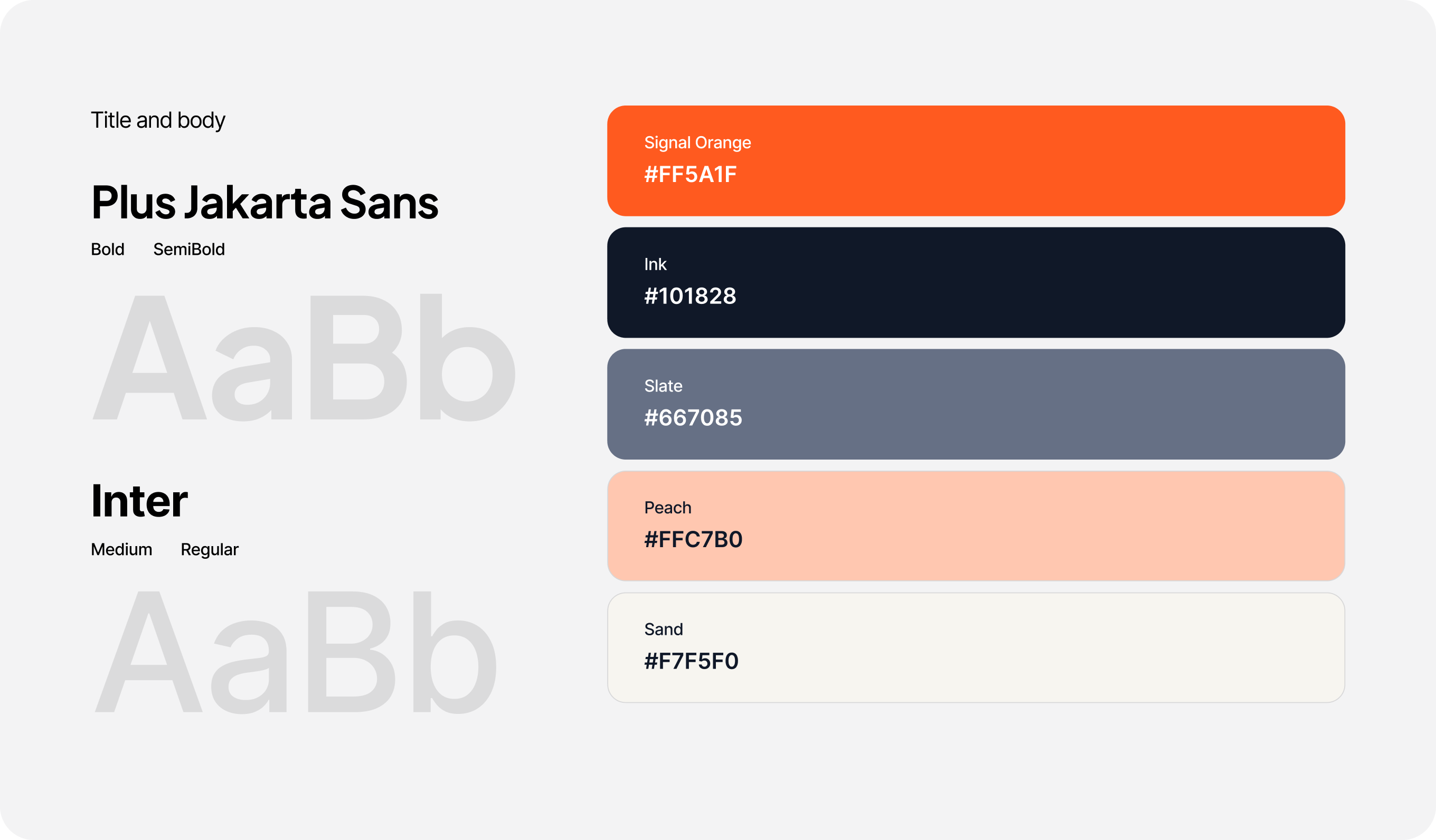
Signal orange is kept for the one thing to do next — primary actions, progress and the active page — so it never competes with the data. Ink and slate carry the text, a warm sand surface stops long admin sessions feeling clinical, and buttons keep an 8px radius rather than pills. Plus Jakarta Sans gives headings and numbers their weight; Inter keeps tables, forms and body copy easy to read at small sizes.
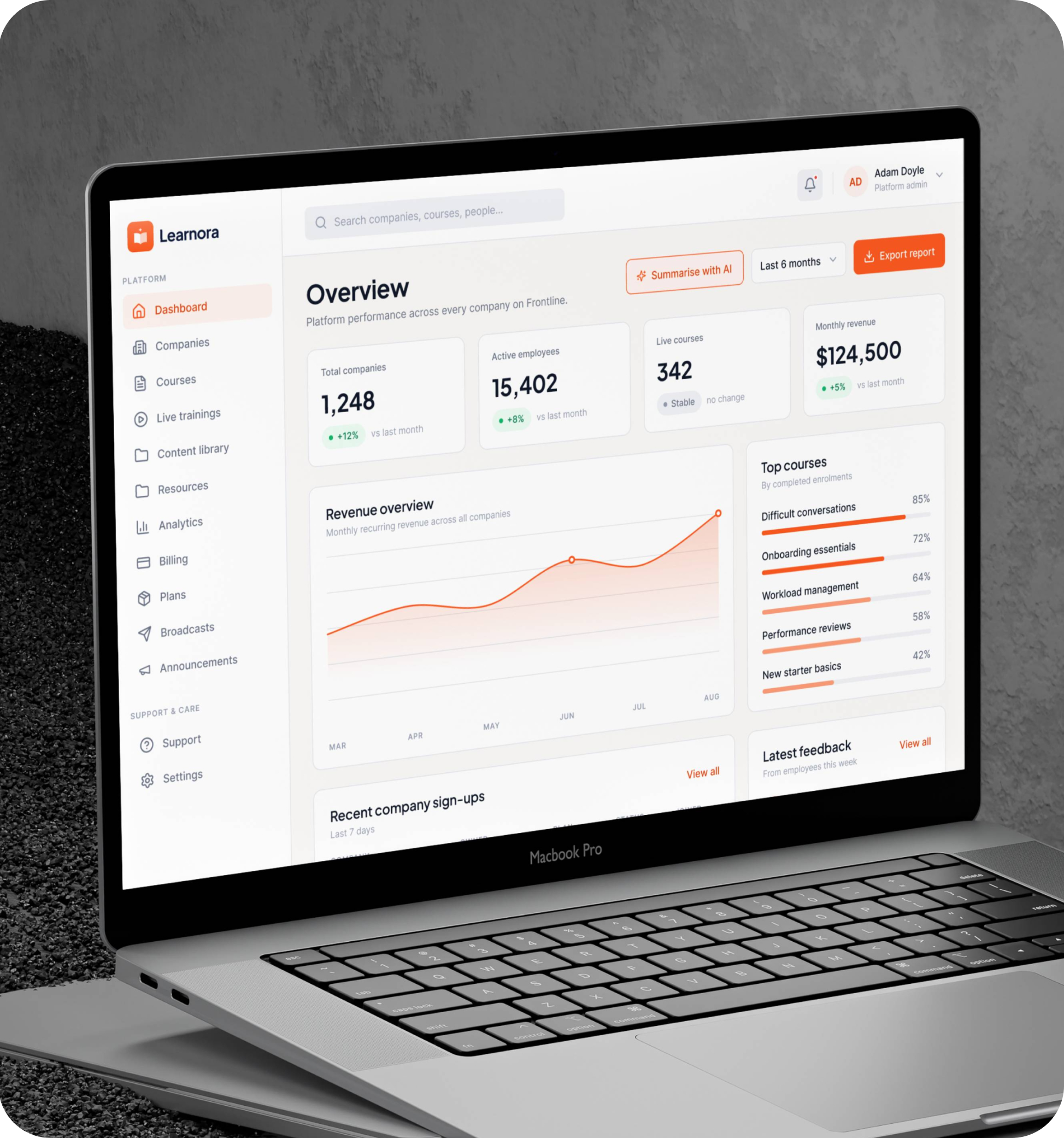
Every company and course, in one clear view
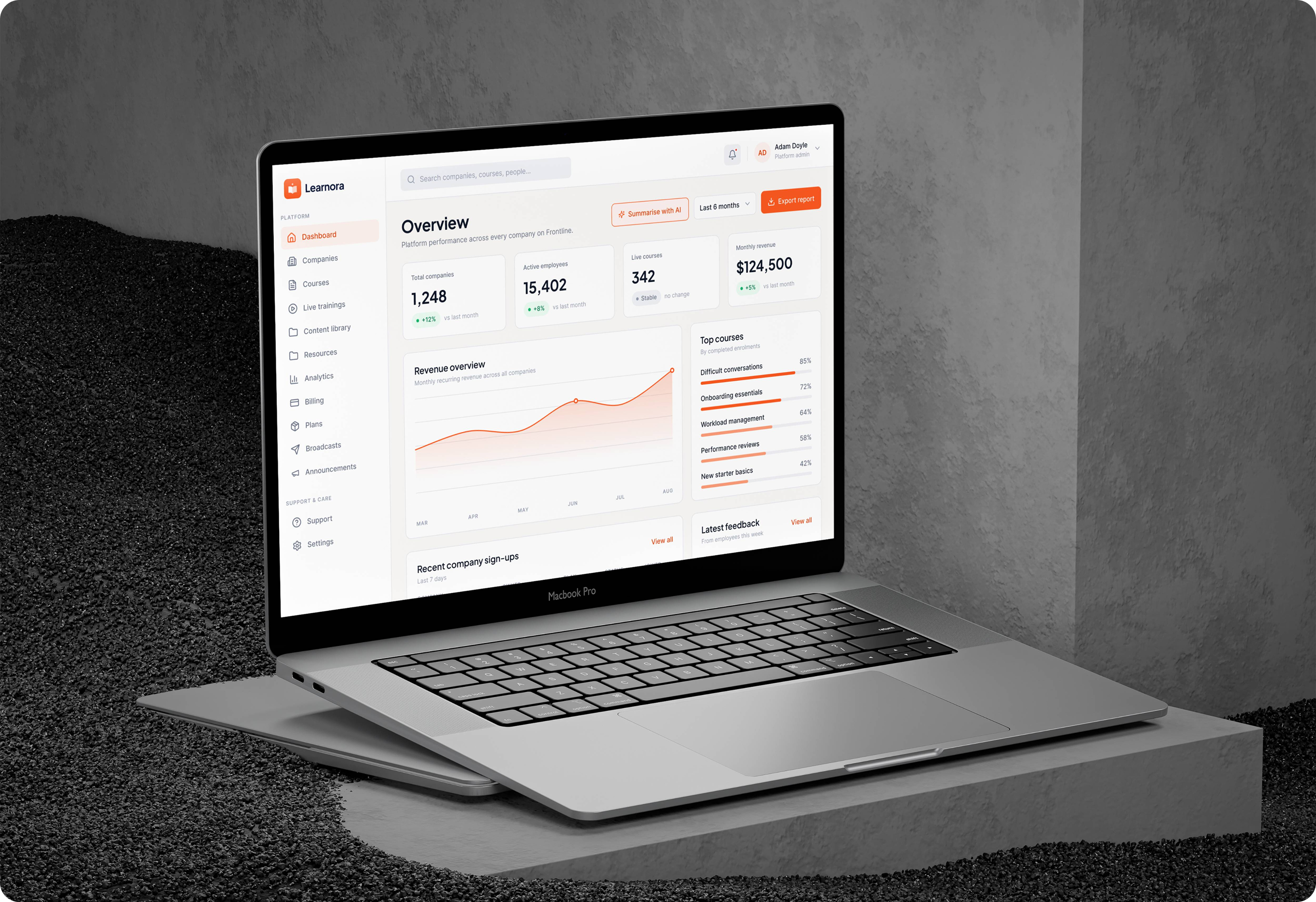
The platform overview opens on the four numbers a training business runs on companies on the platform, active employees, live courses and monthly revenue with revenue over time, the best-performing courses, new company sign-ups and the latest learner feedback beside them. One click summarises the whole view with AI.
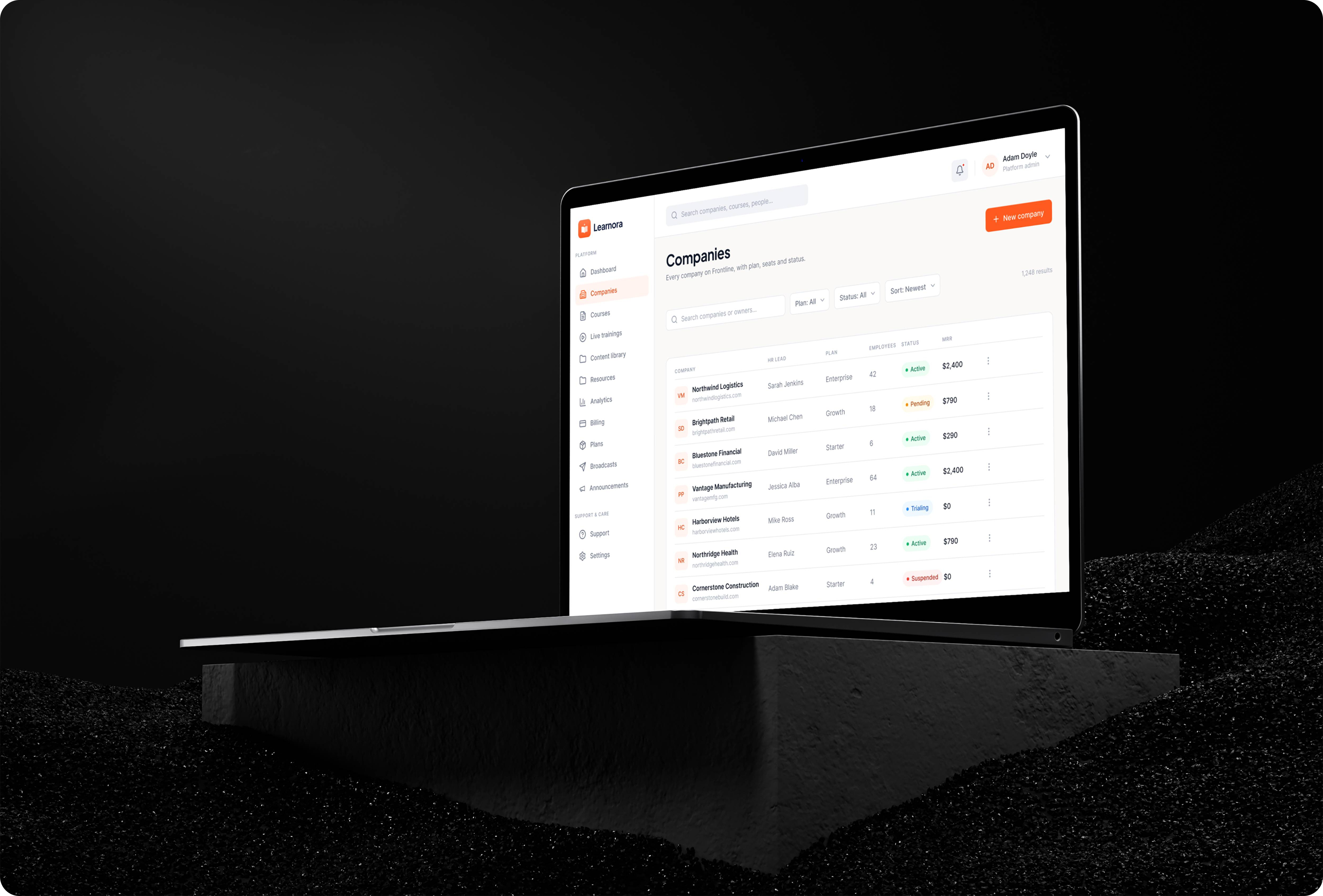
Every company, from onboarding to revenue
Each company on the platform sits in one list with its admin, plan, seats, status and monthly revenue, so the team sees at a glance who is active, who is still on a trial and who has been suspended — and can open any company to manage its people, courses and billing.
A course builder built around modules
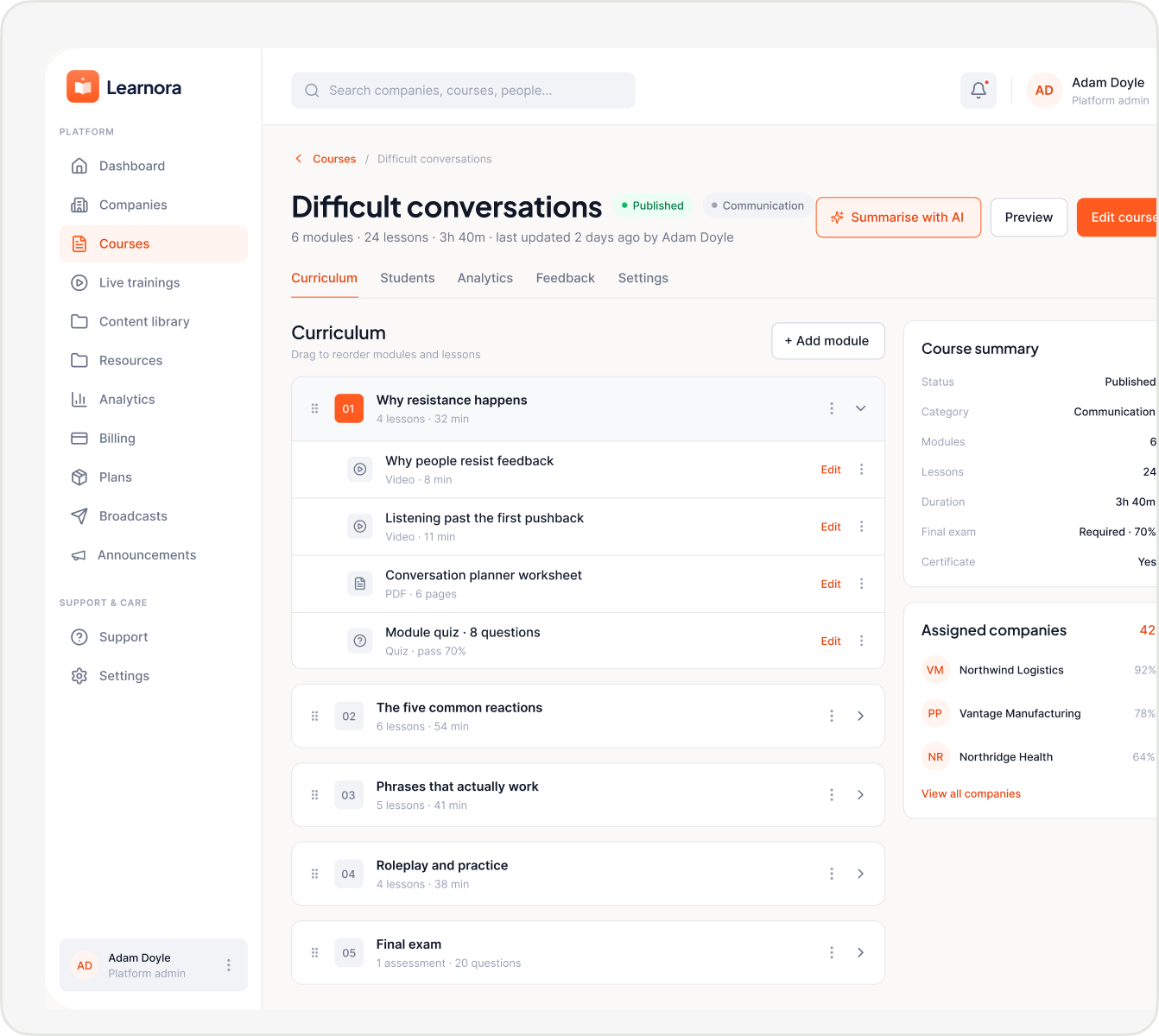
Courses live in one library, each card showing its category, length and status. Inside, the curriculum is arranged into modules that unlock in order — videos, PDFs, text lessons and quizzes, with a final exam and a certificate at the end — and a new module can be added without leaving the page.
.png)
.png)
Live sessions, scheduled and on the record
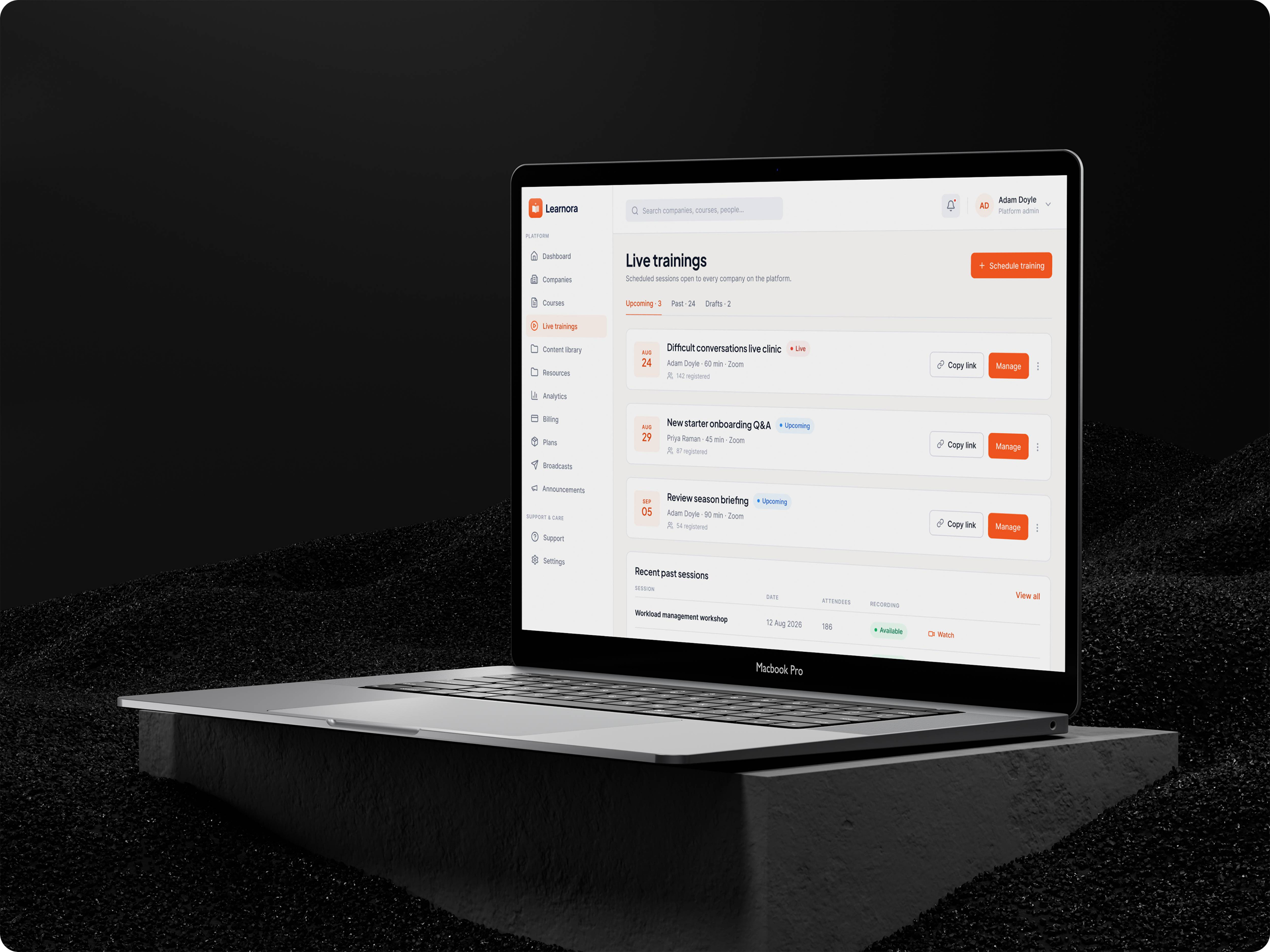
Upcoming sessions show their date, host, length and how many people have registered, with the join link one click away. When a session ends, its attendance and recording are filed with it, so nothing lives in a separate video tool.
Turn any material into ready-to-use resources
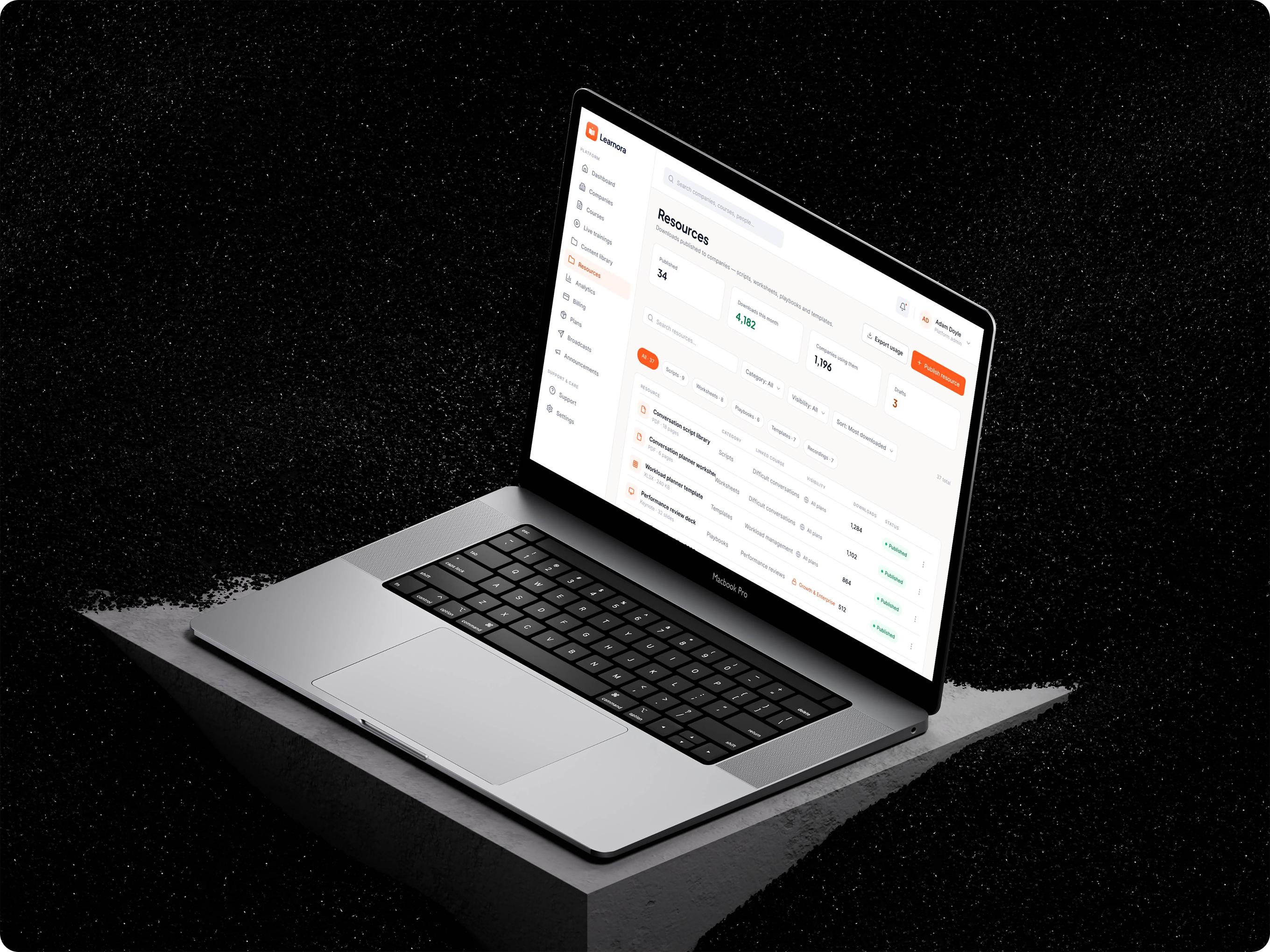
Upload a script, a slide deck or a PDF and AI turns it into structured content and a resource ready to publish to every company, or just the ones that need it. Analytics then shows how employees engage with it — completions, exam scores and a leaderboard of the most active companies.
.png)
.png)
Support, tracked in one place
Every ticket from every company arrives in one queue with its priority, status and owner, beside the numbers that show how the team is keeping up — open tickets, tickets waiting on a reply, first response time and tickets resolved this week.
%202.png)
A personal home for every learner
Employees land on their own dashboard: courses completed, average score, time spent learning and certificates earned, the courses to pick up where they left off, and a feed of everything they have done recently.
%201.png)
Pick up exactly where you left off
My courses shows every assigned course with a clear progress bar and a single button to continue, and marks the ones already completed — so learners always know what is next and how far they have to go.
.png)
Certificates issued on the spot
Pass the final exam and a verifiable certificate is issued straight away, with a verification ID, a PDF download and one click to add it to LinkedIn. If a learner gets stuck on the way, help is on the same platform — searchable topics, their own tickets and a direct line to their company.
%20(1)%201.png)
.png)
.png)
Settings every user controls
Profile, notifications and preferences in one place. Details the company manages, like work email and role, are locked and labelled, while reminders for due dates and new courses can be switched on or off by the learner.
%20(1)%202.png)
A landing page that sells the business
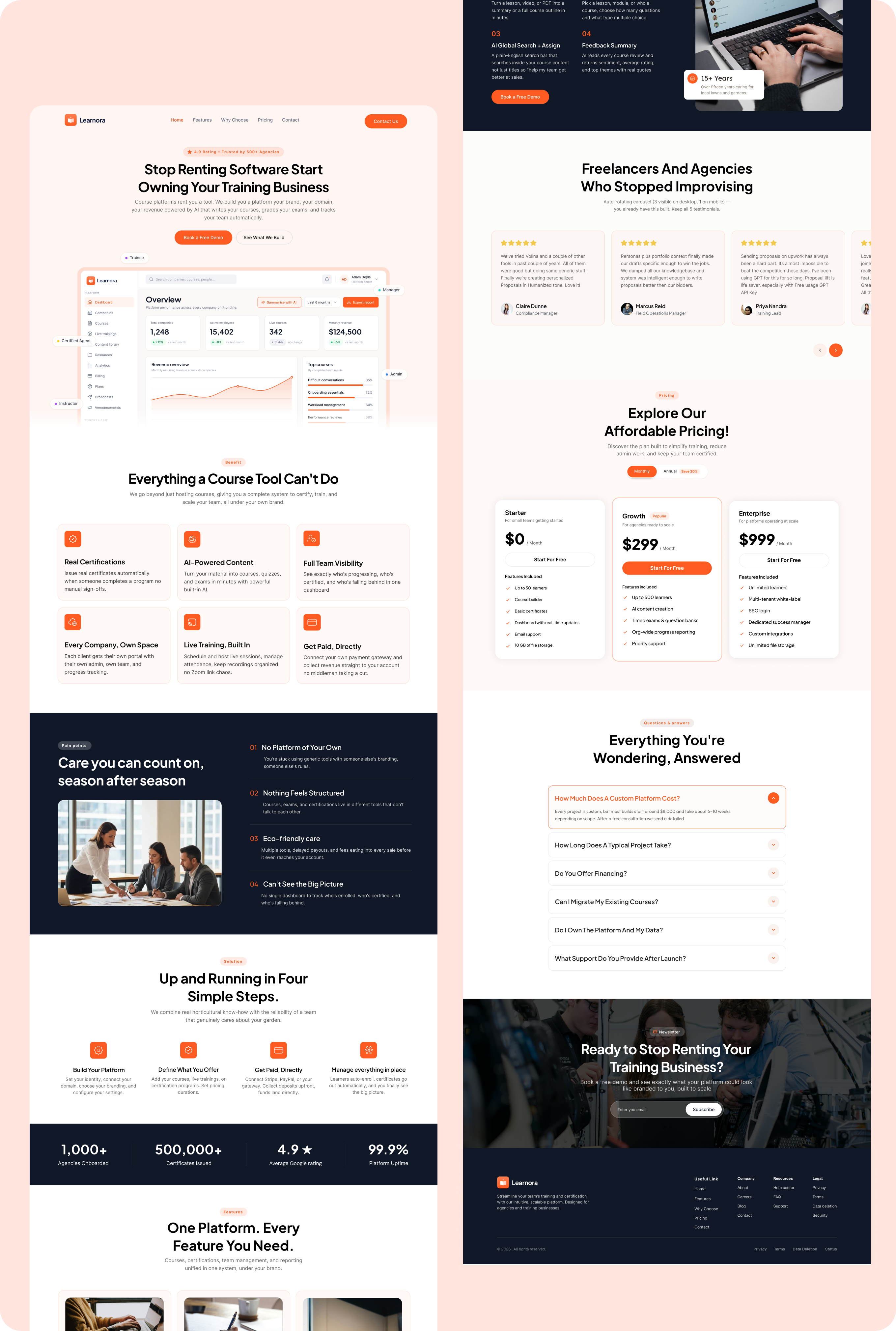
The marketing site uses the same design system as the product. It leads with a single promise — stop renting software, start owning your training business — then shows what a course tool can’t do, the four steps to launch, proof in numbers, three clear price plans and the answers buyers need before they book a demo.
.svg)
.svg)
.svg)
.svg)
.svg)
.webp)
